Features

Everything Shiftly does, in detail.

Every tool, one tight workflow. Built so you set up once and run rotas forever.

Group 01 · Scheduling

The rota itself.

Companion

The scheduling itself is always mathematical, the AI never guesses a rota. The companion is the assistant on top: ask in plain English to adjust the rota, manage requests, or query anything, and it makes the change, runs the scheduler, and shows you the result. It teaches you as you go, so setup doubles as your tutorial.

Scheduling stays mathematical, the AI never invents a rota
Ask in plain English to adjust cover, hours, or requests
It makes the change, runs the maths, and shows you the result
Teaches you the app as you use it, so setup is the tutorial

Shiftly companion

Included on the Companion plan

On
We're short on Friday night. Can you sort it?
I can add a close shift and move Liam over to cover. Want me to run the scheduler?
Ran the scheduler0 rule breaks, all hours met

You approve before anything goes live.

Publish

Rota Generation

Hit generate. Shiftly builds a full week's rota in seconds, with every contracted hour met, every rule respected, and shifts distributed evenly across your team.

Contracted hours met to the minute
Multi-week generation with rotation across staff
Pre-generation check warns you if coverage gaps exist
Approve to publish; staff see it in their app instantly
Generated weekly rota
Cell editing close-up

Manual Editing

The generated rota is your starting point, not your ceiling. Click any cell to add, edit, reassign, or remove a shift. Override the maths whenever the day demands it.

Click any cell to assign or reassign
Visual flags when manual edits break a rule
Add unscheduled cover or swap shifts in one click
Re-run generation any time to start fresh

Fairness Rules

You decide what fair means for your team. Toggle rules on, set the thresholds, and Shiftly enforces them mathematically every time you generate.

Minimum rest between shifts (no clopenings)
Even weekend distribution across the team
Maximum consecutive working days
Role-based shift coverage (kitchen, bar, FoH)

Active rules

Minimum 11 hours rest
Even weekends
Max 5 consecutive days
No solo openings

Group 02 · Staff Management

Your team, one view.

Staff

Every staff member's contracted hours, role, and availability in one clean view. See whether your team can cover your shifts before you generate, not after.
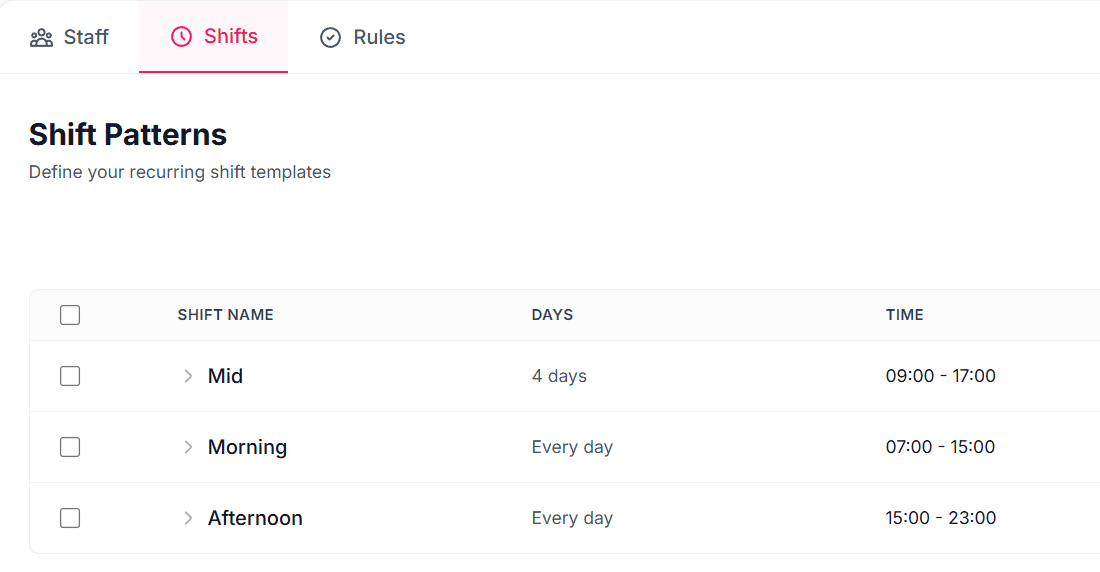
Contracted hours, max hours, and role per person
Real-time hours comparison: capacity vs demand
Team tags (kitchen, bar, FoH) for filtering
Add or archive staff in seconds
The Staff page: team, contracts and availability

Sarah Hutchinson · Availability

Mon9:00 - 17:00
TueUnavailable
Wed14:00 - 23:00
Thu14:00 - 23:00
Fri17:00 - 02:00
SatAll day
SunUnavailable

Availability Windows

Real life isn't AM and PM. School pickup at 3:15. The other job that finishes at 6. Set exact time windows per day per staff member, and the rota respects them.

Different windows for every day of the week
Set unavailable days, all-day, or precise windows
Staff can update from their app; manager approves
Set once, and it carries forever until they change it

Employee App

Staff get their own free app for iPhone and Android, with a web app for any other device. They see their rota, submit availability, and request time off from their phone.
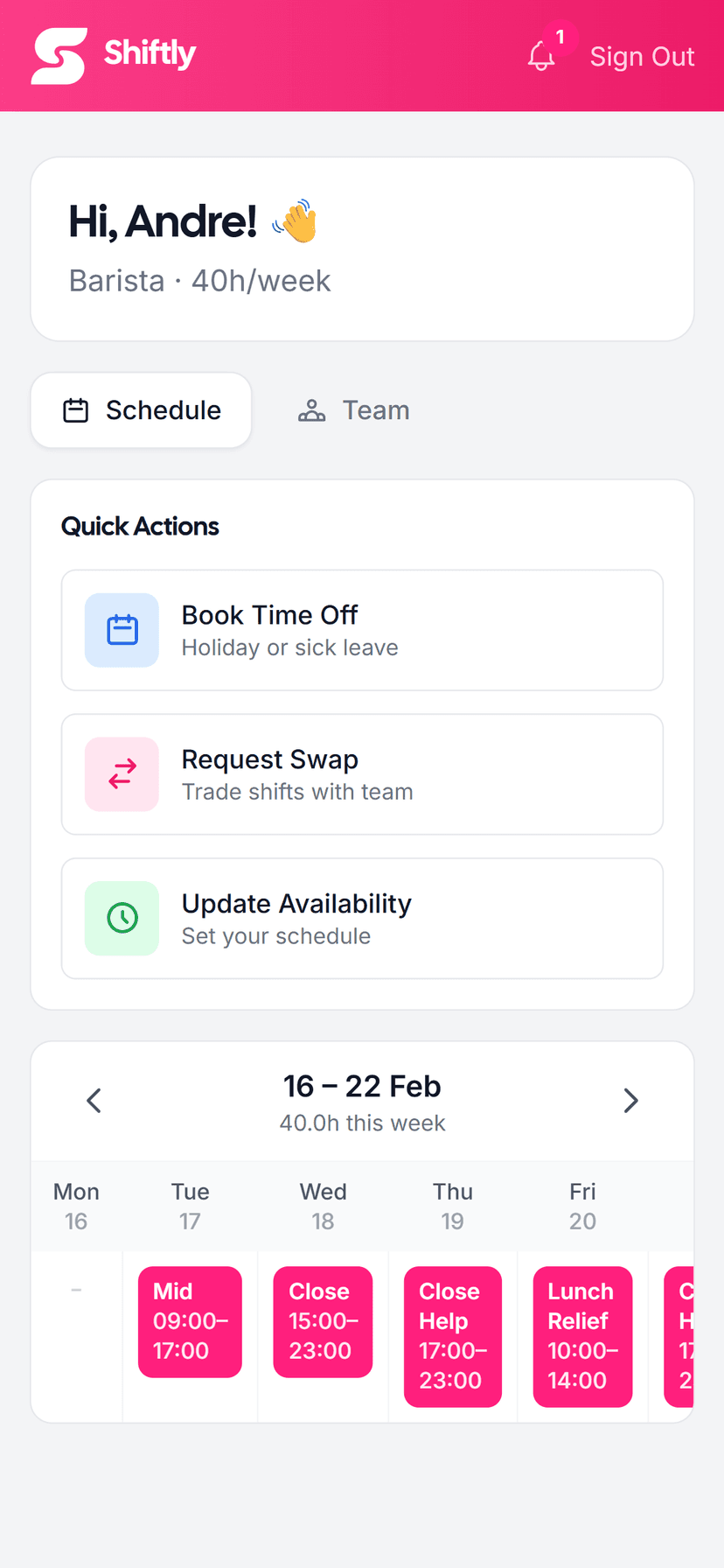
View upcoming shifts and full week schedule
Submit availability changes and time off requests
Request shift swaps, pre-checked against your rules
Receive announcements and shift change alerts
Employee app showing upcoming shifts

Group 03 · Operations

Run the day, not the spreadsheet.

Reports

Total hours and labour cost, computed straight from your rota. Know what the week costs before it starts, and what the month ahead will cost, not when payroll lands.

Weekly labour cost broken down by team and person
Actual vs projected cost for the next four weeks
Driven by the published rota, so it's always current
Compare week to week to spot drift
Reports: labour cost by week
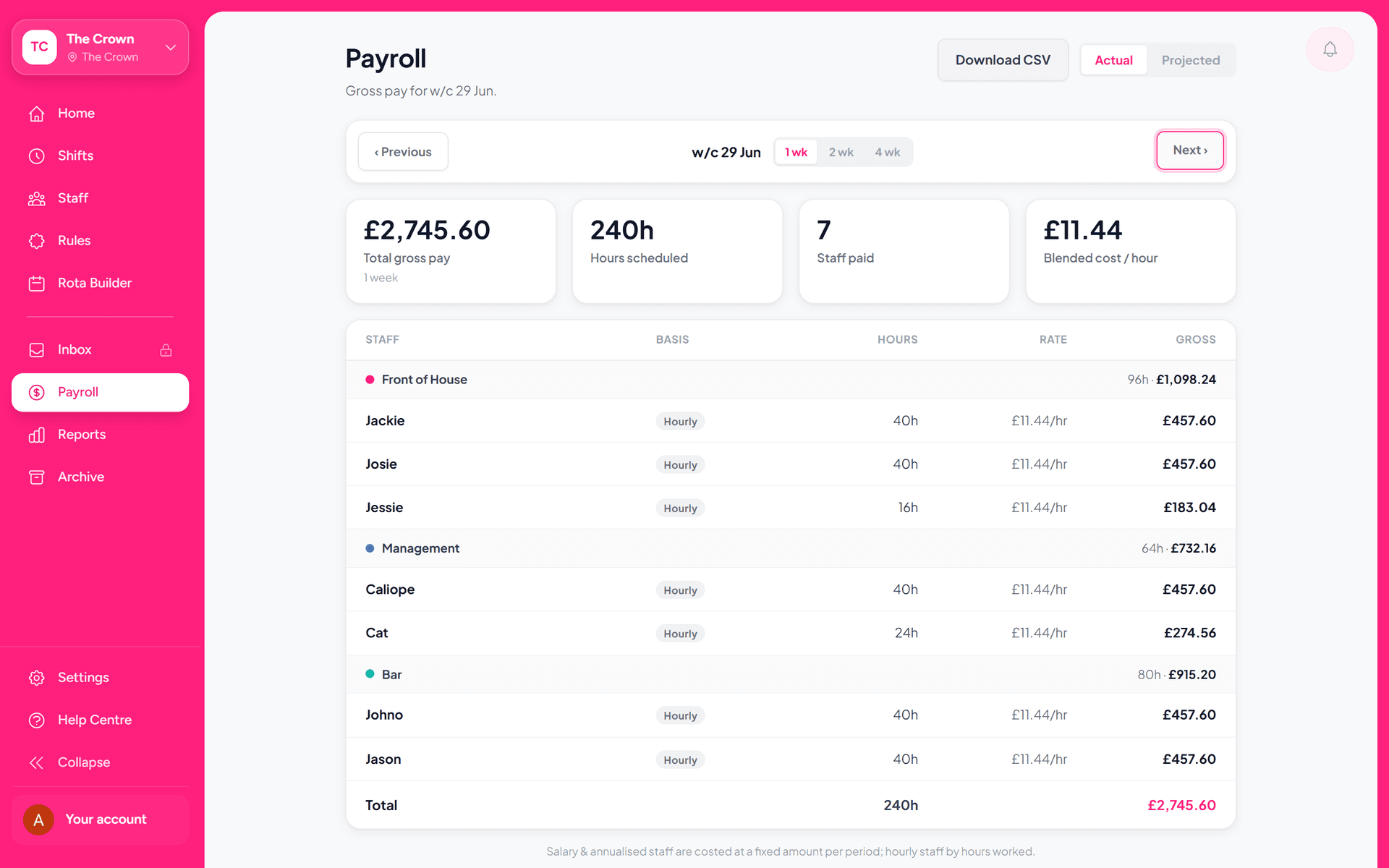
Payroll: pay per staff member

Payroll

Every shift becomes pay automatically. Hourly, salaried, or annualised. Shiftly works out what each person is owed straight from the published rota.

Hourly, salary, and annualised pay per person
Calculated from the rota, with no manual tallying
Projected cost for the month ahead, not just last week
Password-protected, with one-click CSV for your accountant

Team Inbox

Every swap, day off, and availability change in one place, pre-checked against your rules. Tap yes if it works. Tap no if it doesn't. The maths is done before you decide.
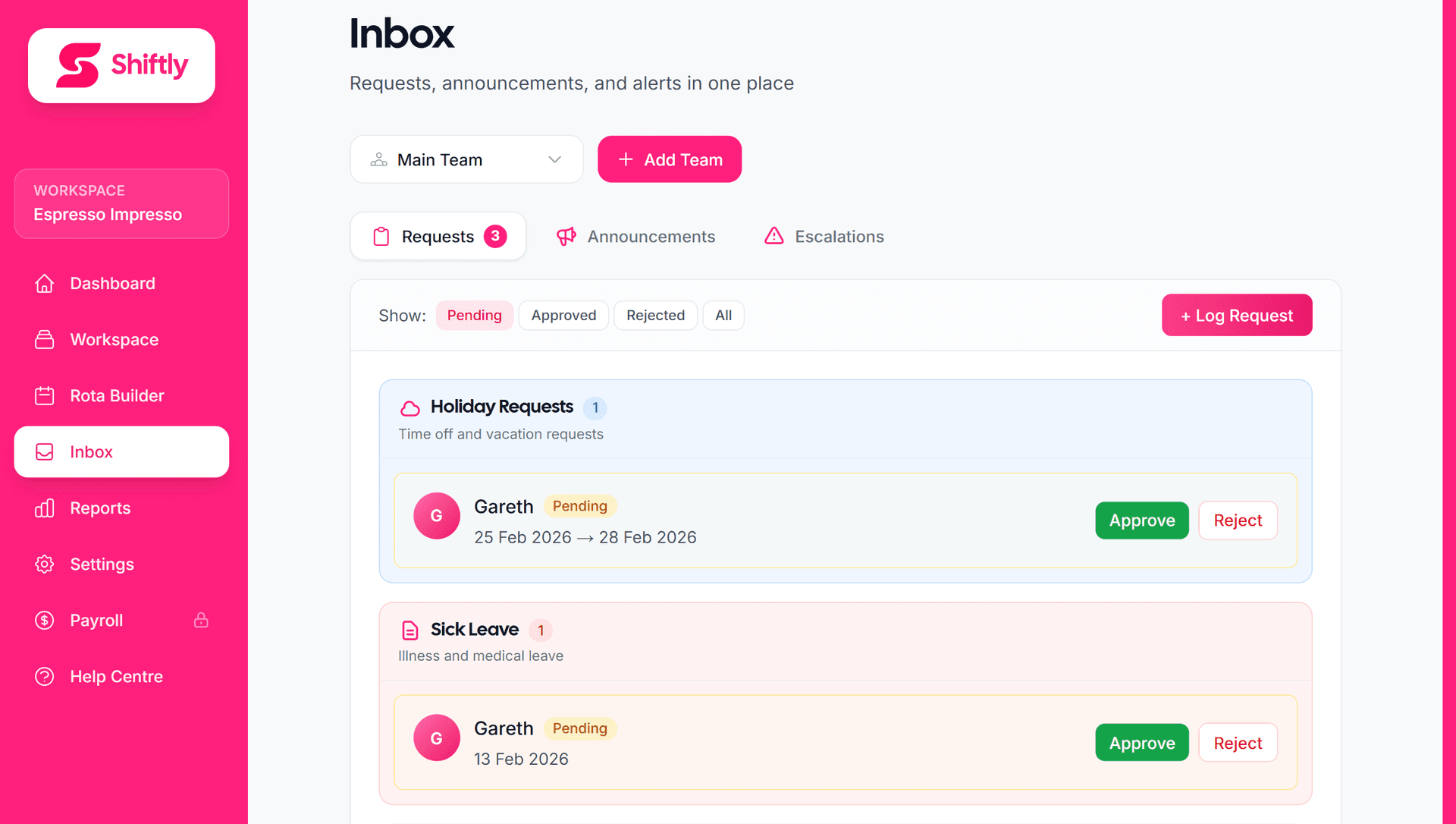
Swap requests automatically validated against rules
Day-off requests checked against coverage
Approve or decline with one tap
Send announcements to the whole team or a section
Team inbox: swap and time-off requests

Holiday allowance · 2026

days
Sarah H.18 of 28 taken · 10 left
James M.25 of 28 taken · 3 left
Emma P.9 of 20 taken · 11 left

Holidays & Sick

Set a holiday allowance once and Shiftly tracks it per person, prorated for part-timers. Sick days too. Everyone sees what they have left, and you get a nudge before the year turns over.

Standard allowance, prorated by contracted hours
Holidays and sick tracked separately, per person
Calendar, financial, or custom holiday year
Year-end nudge so nothing is left unbooked

CSV & PDF Export

Send your accountant the numbers in the format they want. CSV for the books. PDF for the records. No copy-paste. No reformatting.

CSV export ready for Xero, Sage, QuickBooks, and PayFit
Branded PDF rota for printed wall posting
Custom date ranges and per-staff filters
Email export directly to accountant from Shiftly

rota-week-12.csv

For Xero, Sage, QuickBooks

rota-week-12.pdf

Wall-ready, branded

Make every shift a good one.

Set up once. Generate forever. Run the day.

Start free

7 days free, no card. Or log in.